TLDR: quick comparison table
Short on time? Here's how the eight APIs stack up.
| API | Best For | Starting Price | Standout Feature |
|---|---|---|---|
| Firecrawl | LLM/AI workflows | Free (1K), $19/mo billed monthly ($16/mo billed annually) | LLM-ready output (Markdown/JSON), handles JS-rendered pages, site crawling, web search + fetch, API-first for agents/RAG |
| BrightData | Enterprise scale | Usage-based (from $1/1K req) | 150+ million residential IPs, 120+ pre-built scrapers |
| ScrapingDog | Platform-specific scraping | Free (200), $40/mo | Dedicated Google, Amazon, LinkedIn endpoints |
| Scraping Bee | Beginners | Free (1K), $49/mo | Official Python SDK, clean documentation |
| Oxylabs | No-code automation | Free trial, $49/mo | OxyCopilot generates code from prompts |
| ScraperAPI | Simple HTML scraping | 7-day trial, $49/mo | 40M IPs, auto-retry on failures |
| Scrape.do | Budget projects | Free (1K), $29/mo | 110M proxies, pay only for success |
| ZenRows | Browser automation | Free (5K), $16/mo | Puppeteer/Playwright on cloud infrastructure |
All eight charge only for successful requests. Credit multipliers apply when you need JavaScript rendering (typically 5x) or premium proxies (10-25x), so factor that into cost estimates.
Web scraping breaks at scale. A script that works for a week fails the moment a site changes its HTML, and running your own proxy rotation and JavaScript rendering is constant maintenance most projects don't need.
Web scraping APIs handle that infrastructure and return clean data from a single API call. This guide covers the eight worth considering in 2026, tested and compared on features, pricing, and real user reviews.
What is a web scraping API?
A web scraping API is a hosted service that fetches web pages for you and returns their content through a single API call. Instead of running your own browsers and proxies, you send a URL and get back the page data: raw HTML, clean markdown, or structured JSON, depending on the tool.
The provider manages the hard parts (proxy rotation, JavaScript rendering, retries, and scaling) so you focus on what to do with the data rather than how to collect it.
Why use a web scraping API instead of building your own scraper?
Building an in-house scraper is cheap to start and expensive to keep running. A few reasons teams reach for an API instead:
- Less maintenance: Sites change their markup constantly. An API absorbs that churn so your code doesn't break every week.
- Scale without infrastructure: Proxy pools, headless browsers, and retry queues are a lot to run yourself. APIs handle concurrency and rotation out of the box.
- JavaScript rendering built in: Most modern sites render content client-side. Scraping APIs execute the page and return the finished DOM.
- Clean, usable output: The best APIs return markdown or structured JSON, not just raw HTML, which saves a parsing step, especially for LLM pipelines.
- Predictable cost: You pay per successful request instead of paying an engineer to babysit infrastructure.
The tradeoff is per-request cost and less low-level control. For most teams, the time saved is worth it.
What's the best approach for scraping JavaScript-rendered sites?
Most modern sites (React, Vue, Angular, and other single-page apps) build their content in the browser after the initial HTML loads. A plain HTTP request returns an empty shell, so the data you want never shows up in the response. You have three practical options:
- Run a headless browser yourself with Playwright, Puppeteer, or Selenium. This gives you full control but means maintaining browser infrastructure, drivers, and memory-hungry instances at scale.
- Turn on JavaScript rendering in a scraping API. Every tool in this guide can execute the page and return the fully rendered DOM. It's the simplest path, but rendering usually costs a credit multiplier (typically 5x), so factor that into your budget.
- Use an AI-native endpoint that renders and returns clean output. Firecrawl renders JavaScript by default and hands back LLM-ready markdown, so you skip both the browser setup and the HTML parsing step.
When the data sits behind an action (a "load more" button, a form submission, or pagination), rendering alone isn't enough because the content only appears after an interaction. That's where Firecrawl's /interact endpoint helps: you scrape a page and immediately click, fill, or navigate using natural language or code, then extract the content that appears.
How we evaluated these web scraping APIs
Not all web scraping benchmarks measure the same thing. Success rate alone doesn't tell the whole story-a tool that returns raw HTML in 2 seconds may be useless if you're feeding results into an LLM pipeline that needs clean, structured output.
We evaluated each API on:
- Success rate: Can it reliably return data from common targets (e-commerce, search results, social, real estate)?
- Output quality: Does it return raw HTML, or clean markdown/JSON ready for downstream use?
- JavaScript rendering: How well does it handle dynamic, client-rendered pages-and what does that cost in credits?
- Pricing transparency: Are credit multipliers clearly documented, or buried in footnotes?
- Developer experience: Quality of SDKs, documentation, and error messages
- AI/LLM readiness: Does the output slot into LLM pipelines without post-processing?
- User reviews: Real sentiment from G2, TrustPilot, and Capterra along with developer discussions on HackerNews, Reddit, and X.
The 8 best web scraping APIs in 2026
We've listed 8 web scraping APIs. Here's what each tool does well, with code examples and honest breakdowns of where they fall short.
1. Firecrawl
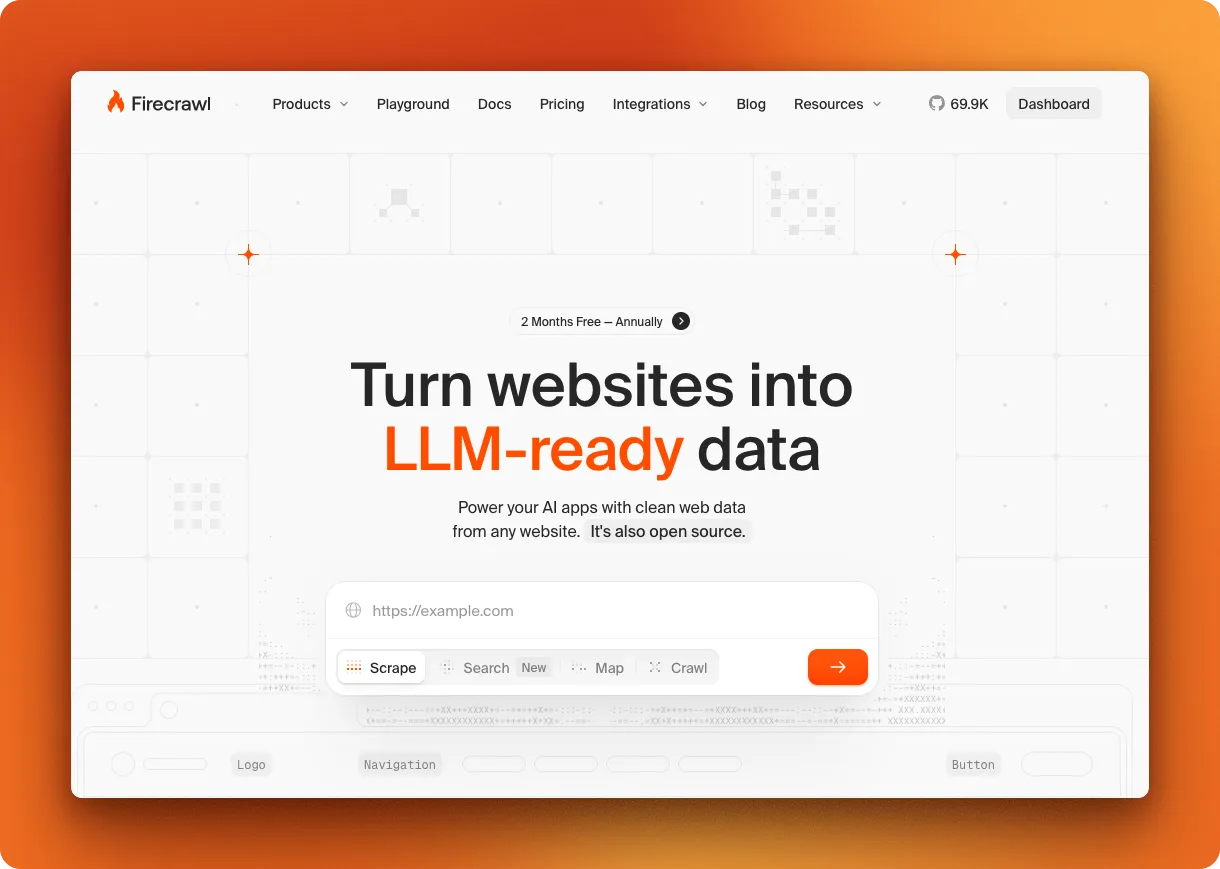
Firecrawl is the web scraping API built specifically for AI-powered workflows. You send a URL, it returns clean markdown that's ready to feed into an LLM. That markdown output uses about 67% fewer tokens than raw HTML, which adds up fast when you're processing thousands of pages.
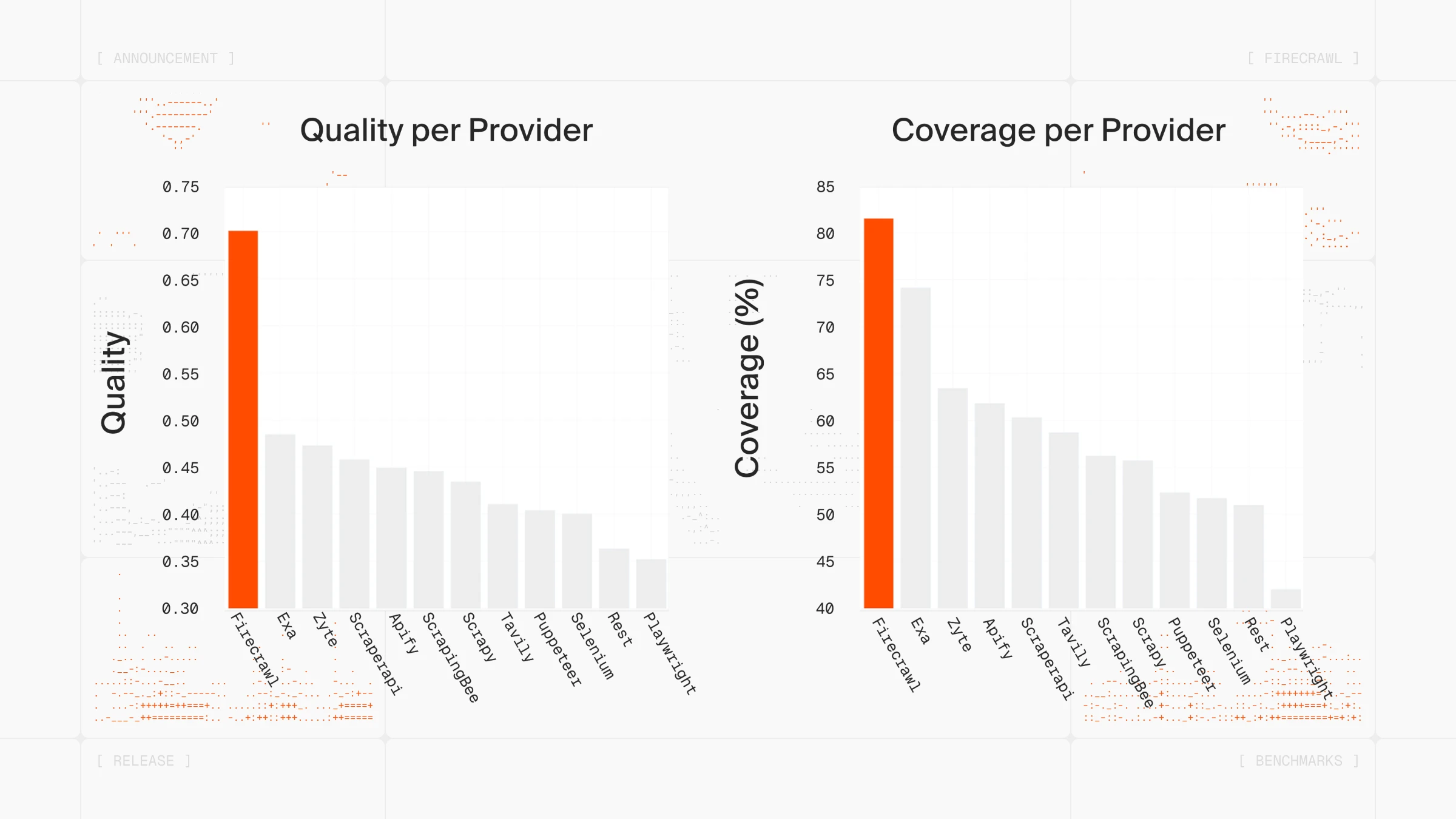
If you're building with LangChain or LlamaIndex, Firecrawl has native integrations for both. Learn more in the Firecrawl documentation.
The platform is also SOC 2 Type 2 compliant, ensuring enterprise-grade security and data handling standards.
You don't even need an account to start. Firecrawl Keyless gives you 1,000 free credits a month to search, scrape, and interact with the web, with no sign-up and no API key to manage.
What makes Scrape stand out is what comes back. It strips the headers, footers, nav, and ads so your agent reasons over content instead of noise, and smaller inputs make every downstream model call cheaper. You pick the format in the same call: token-efficient Markdown, JSON against a schema, or a plain summary, so the agent gets what it needs instead of a raw page to process afterward. You can even skip the full page entirely by passing a question to get a grounded answer, or a query to get back the exact matching sentences, code blocks, and tables verbatim, at up to 100x fewer tokens than a full scrape. And at sub-3-second scrapes on real-world pages, it's fast enough to sit inside live agent loops, not just batch pipelines. In short, Firecrawl Scrape turns any URL into clean Markdown or structured data built for AI agents, from the pages other tools can't handle.
The Firecrawl API has seven endpoints:
- Scrape turns any URL, including JS-heavy SPAs, into clean Markdown, schema-based JSON, or a summary in one call,
- Crawl for entire sites,
- Map to grab all URLs from a domain,
- Search for web search with full page content,
- Agent for gathering data wherever it lives on the web,
- Interact for scraping a page and immediately taking actions in it — click buttons, fill forms, navigate, and extract dynamic content using natural language or code (see the Firecrawl interact endpoint guide for a full walkthrough of this browser automation API), and
- Parse for turning local documents (PDF, DOCX, XLSX, PPTX, and more) into clean markdown or structured JSON. See how it stacks up against other document parsing APIs.
The Crawl endpoint is particularly useful when you need to extract repeating items across paginated pages-product grids, job boards, directories. That pattern is called list crawling, and Firecrawl handles it with schema-based extraction.
The Agent endpoint is where things get interesting. Instead of writing brittle selectors that break with every site change, describe what you need in a prompt. Agent searches the web, navigates complex sites autonomously, and returns structured data. It accomplishes in minutes what would take humans hours...or even days!
For instance, if you simply prompt "Compare pricing tiers and features across Stripe, Square, and PayPal", the Firecrawl agent visits each pricing page, navigates through tier details, extracts features and costs, handles different page layouts. Returns unified pricing comparison.
Code example
from firecrawl import Firecrawl

firecrawl = Firecrawl(api_key="fc-YOUR-API-KEY")

result = firecrawl.scrape(
    "https://example.com",
    formats=["markdown", "html"]
)

print(result["markdown"])
To explore how to take your web scraping workflows to the next level using Firecrawl's /agent endpoint and /interact endpoint, read our docs. For a quick overview of all core Firecrawl endpoints with working examples, see Firecrawl 101.
What users say
Firecrawl is the web scraping API many AI teams reach for in 2026. It's now one of the fastest-growing open source projects on GitHub, ranked among the top 50 repositories by stars. Developer sentiment on X and tech blogs trends positive, with most praise focused on speed and the clean API design.
There's a reason tools like OpenClaw use Firecrawl as their web data layer-the clean output and reliable infrastructure fit naturally into agent-based workflows that need web data without the scraping maintenance burden. In fact, it's so powerful paired with the Firecrawl CLI that developers are using it directly from their terminals and AI coding agents:
Pros
- Markdown output optimized for LLMs (67% fewer tokens than raw HTML)
- Natural language extraction (no brittle selectors)
- Transparent pricing across standard endpoints
- Fast (sub-second cached, 2-5s fresh)
- Native LangChain/LlamaIndex support
- Open source, SOC II Type 2 compliant
- Don't need to maintain your own proxies
- Supports no-code/low-code tools (n8n, Zapier, Lovable)
- MCP Server integration for AI coding agents (Claude Code, Cursor, etc.)
- Parses local documents (PDF, DOCX, XLSX, PPTX) into clean markdown via /parse
- Keyless option: try search, scrape, and interact with no account or API key
Also read our detailed guide on Building AI-Powered Apps with Firecrawl and Lovable.
Cons
- Smaller community than older tools. Official Python, Node, Go, and Rust SDKs plus LangChain and LlamaIndex integrations cover most of what you would otherwise go hunting through forums for
- Agent feature uses separate token-based pricing ($89-$719/mo plans). Everything outside the agent endpoint stays on the flat credit model, so you opt into token pricing only when you need autonomous navigation
Pricing:
- Free: 1,000 credits/month
- Hobby: $19/mo billed monthly, $16/mo billed annually (5K credits)
- Standard: $99/mo billed monthly, $83/mo billed annually (100K credits)
- Growth: $399/mo billed monthly, $333/mo billed annually (500K credits)
Standard endpoints cost 1 credit per page for Scrape/Crawl/Map, 2 credits per 10 results for Search.
2. BrightData
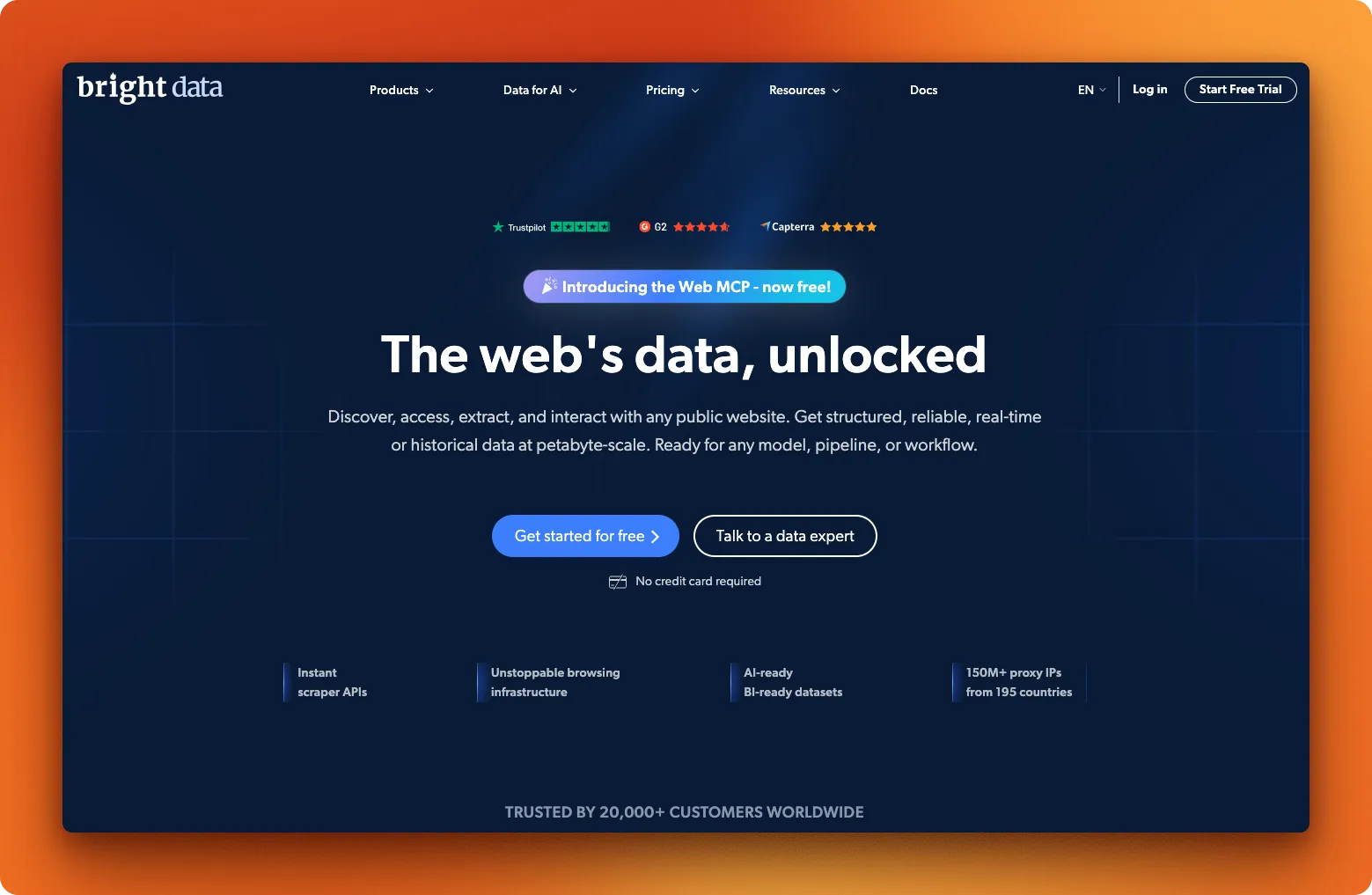
Bright Data (formerly Luminati) runs the largest proxy network in the industry: 150+ million residential IPs across 195 countries. If a site has complex access requirements and you need to scrape it reliably at scale, this is where enterprises typically land.
The product suite includes a Web Scraper API, 120+ pre-built scrapers for sites like Amazon and LinkedIn, a Scraping Browser for complex JavaScript-heavy pages, and Web Unlocker for accessing complex sites automatically. They're SOC 2 Type II certified and GDPR compliant, which matters if you're working in regulated industries.
For a detailed feature and pricing breakdown, see our Firecrawl vs Bright Data comparison. For a broader look at how Bright Data stacks up against other scraping API options — ScrapingBee, Apify, and Scrape.do — see the Bright Data alternatives guide.
Code example
from brightdata import BrightDataClient

client = BrightDataClient()

result = client.scrape.generic.url("https://example.com")

if result.success:
    print(result.data)
What users say
Bright Data scores well on review platforms: 4.6/5 on G2 (277 reviews), 4.7/5 on Capterra (67 reviews), and 4.3/5 on TrustPilot (903 reviews). The positives focus on proxy network size, success rates on difficult sites, and responsive support.
The negatives are consistent too. Reviewers mention a steep learning curve, confusing documentation, and pricing that doesn't make sense for smaller projects. Some users reported mixed results with the Web Unlocker feature on certain protected sites.
Pros
- Massive proxy network
- Pre-built scrapers for 120+ platforms
- Enterprise compliance certifications
- Handles heavily protected sites
Cons
- Expensive at scale; usage-based rates add up quickly
- Complex setup, steep learning curve
- Documentation needs work
- Overkill for simple projects
Pricing: Bright Data has moved to usage-based pricing across products. Web Unlocker, SERP, and Crawl API start from $1 per 1,000 requests; Web Scraper starts at $0.75 per 1,000 records; Scraping Browser is $5/GB; Datasets start at $250 for 100K records. See the pricing page for current tiers across every product.
3. ScrapingDog
ScrapingDog takes a straightforward approach to web scraping: send a URL, get HTML back. The API handles proxy rotation and headless Chrome rendering behind the scenes, so you don't need to manage that infrastructure yourself.
Where ScrapingDog stands out is its collection of specialized scrapers. Instead of parsing raw HTML from Google, Amazon, or LinkedIn yourself, you can hit dedicated endpoints that return structured JSON. The Google suite covers Search, Maps, News, Hotels, and even Google's AI Mode responses. For e-commerce, there are scrapers for Amazon, Walmart, and eBay. The LinkedIn API pulls profile and company data without the usual blocking headaches.
The API retries failed requests automatically for up to 60 seconds, and you only get charged for successful responses. If a request times out or gets blocked, no credits are deducted.
Code example
import requests

response = requests.get(
    "https://api.scrapingdog.com/scrape",
    params={
        "api_key": "YOUR_API_KEY",
        "url": "https://example.com",
        "dynamic": "false"
    }
)

print(response.text)
What users say
ScrapingDog scores 4.8/5 on TrustPilot from 578 reviews, with 88% giving five stars. Users praise the speed, reliability, and customer support. The LinkedIn and Amazon scrapers get specific callouts as time-savers.
The main criticism: documentation assumes some developer experience, which may make onboarding harder for less technical users.
Pros
- Specialized APIs for Google, Amazon, LinkedIn, Walmart, eBay
- Only charged for successful requests
- Lower entry price than most competitors ($40/mo)
- Fast customer support
- Auto-retry on failed requests
Cons
- Documentation not beginner-friendly
- No official Python SDK (raw requests only)
- JS rendering on by default (5x credit cost unless disabled)
Pricing: Free (200 credits), Lite $40/mo (200K credits), Standard $90/mo (1M credits), Pro $200/mo (3M credits), Premium $350/mo (6M credits). Credit costs: 1 for basic, 5 for JS rendering, 10 for premium proxy, 25 for both.
4. ScrapingBee
ScrapingBee markets itself on ease of use, and the onboarding experience reflects that. The documentation walks through setup clearly, and the dashboard makes it easy to track credit usage. There's an official Python SDK that wraps the requests library, so you can start scraping in a few lines of code.
The API handles proxy management and JavaScript rendering. You can take screenshots, forward custom headers, and target specific geographic regions. The feature set covers most common scraping needs without requiring deep technical knowledge. See how it compares in our Firecrawl vs ScrapingBee breakdown.
One thing to watch: JavaScript rendering is enabled by default (this is common across scraping APIs). Every request costs 5 credits instead of 1 unless you explicitly set render_js=false.
The pricing tiers also gate features in ways that aren't obvious upfront. JS rendering and geotargeting work on all plans, but premium proxies and advanced rendering require the Business tier at $249/month.
Code example
from scrapingbee import ScrapingBeeClient

client = ScrapingBeeClient(api_key="YOUR_API_KEY")
response = client.get(
    "https://example.com",
    params={"render_js": "false"}
)

print(response.text)
What users say
Scraping Bee holds a 4.9/5 rating on Capterra (118+ reviews). Reviewers like the clean API design, responsive support, and well-organized documentation.
Most user complaints center on pricing: credits don't roll over month-to-month, the jump to premium proxies is steep (25x multiplier), and some users find the credit system confusing since costs are scattered across multiple documentation pages. This pushes most users to look for better ScrapingBee alternatives.
Pros
- Official Python SDK with clean API
- Well-organized documentation
- Easy-to-use dashboard for monitoring usage
- Screenshot support built-in
- Good customer support
- Supports no-code/low-code tools (n8n, Zapier, Lovable)
Cons
- JS rendering on by default (5x cost, industry standard but easy to miss)
- Premium features locked behind $249/mo tier
- Low concurrency limits (10-100 depending on plan)
- Credits don't roll over
- Credit costs scattered across docs, hard to estimate total spend
Pricing: Free (1K credits), Freelance $49/mo (250K credits, 10 concurrent), Startup $99/mo (1M credits, 50 concurrent), Business $249/mo (3M credits, 100 concurrent). Credit multipliers: 1x basic, 5x JS, 10x premium proxy, 25x premium+JS, 75x advanced rendering.
Read our in-depth guide on ScrapingBee pricing breakdown for more info here.
5. Oxylabs
Oxylabs built an AI assistant directly into their scraping workflow. Called OxyCopilot, it lives in the dashboard and generates request code from plain language prompts. You describe what data you want, and it outputs working code for both the scraping request and the parsing logic. For more control, you can define your own XPath or CSS selectors.
The underlying infrastructure covers proxy rotation and JavaScript rendering across 195 countries. When a page needs browser interactions like clicks, form inputs, or scrolling, you can configure those manually or let OxyCopilot generate them from a prompt.
Recurring jobs run through a built-in scheduler that pushes results to Amazon S3, Google Cloud Storage, or S3-compatible storage. No need to maintain your own cron scripts. There are also integrations with LangChain, CrewAI, n8n, and Make.com for plugging into automation pipelines. The API is SOC 2 Type 1 certified.
Code example
import requests

response = requests.post(
    "https://realtime.oxylabs.io/v1/queries",
    auth=("USERNAME", "PASSWORD"),
    json={
        "source": "universal",
        "url": "https://example.com",
        "render": "html"
    }
)

print(response.json()["results"][0]["content"])
What users say
Oxylabs scores 4.5/5 on G2 (362 reviews) and 4.1/5 on TrustPilot (711 reviews). Reviewers mention proxy quality, high success rates on protected sites, and responsive support. The dashboard gets praise for being intuitive once you get past the initial setup.
Pricing comes up repeatedly in negative reviews. Costs scale fast on larger projects, and unused credits expire (timing varies by plan type), which surprised users who expected pay-as-you-go to mean no expiration. The learning curve is steep, and some reviewers reported inconsistent results on specific targets.
Pros
- OxyCopilot generates scraping code from natural language
- Built-in job scheduler with cloud storage delivery
- Proxy network across 195 countries
- Integrations with LangChain, n8n, Make.com
- SOC 2 Type 1 certified
Cons
- Pricing varies by target site and rendering method
- Credits expire based on plan type
- Steep learning curve
- Gets expensive at scale
Pricing: Free trial (2K results), Micro $49/mo (98K results), Starter $99/mo (220K results), Advanced $249/mo (622K results), Business $999/mo (3.3M results). Cost per 1,000 results varies by target: $0.40-$0.50 for Amazon, $0.80-$1.00 for Google, $0.95-$1.15 for other sites (higher end includes JS rendering).
Already using Oxylabs and looking for alternatives? See our detailed Oxylabs alternatives guide.
6. ScraperAPI
ScraperAPI handles the infrastructure so you can focus on parsing. You send a URL, it rotates through 40 million IPs across 50+ countries and retries failed requests automatically. What comes back is raw HTML. You only get charged when a request succeeds. If you need LLM-ready output or deeper AI integration, explore the best ScraperAPI alternatives.
Their rotation system picks proxies based on the target site, adjusting for factors like geographic restrictions and protection level. For larger jobs, async mode lets you submit URLs in bulk and poll for results. DataPipeline schedules recurring scrapes without requiring you to set up external cron jobs.
The API accepts custom headers and supports sessions for maintaining state across requests. Documentation covers Python, Node.js, and PHP with copy-paste examples.
Code example
import requests

response = requests.get(
    "https://api.scraperapi.com",
    params={
        "api_key": "YOUR_API_KEY",
        "url": "https://example.com",
        "render": "true"
    }
)

print(response.text)
What users say
ScraperAPI has 4.5/5 on TrustPilot (43 reviews) with 93% five-star ratings and 4.4/5 on G2 (16 reviews). Users like the clean documentation and quick setup. One reviewer with 12 years of experience in web data consulting called the proxy rotation "seamless" and credited it with saving hours of debugging.
On the negative side, credit costs add up. E-commerce sites cost 5x, search engines cost 25x. Some users found their monthly spend hard to predict when scraping complex targets. A few reported inconsistent success rates on certain sites.
Pros
- Only charged for successful requests
- Async mode and DataPipeline for batch jobs
- Proxy selection adapts to target site
- Documentation covers multiple languages
Cons
- No official Python SDK (raw requests only)
- Credit multipliers for protected sites (5x-25x)
- Costs hard to predict at volume
- Mixed results on some difficult targets
Pricing: 7-day free trial (5K credits), Hobby $49/mo (100K credits, 20 concurrent), Startup $149/mo (1M credits, 50 concurrent), Business $299/mo (3M credits, 100 concurrent). Credit costs: 1 for basic sites, 5 for e-commerce, 25 for search engines.
7. Scrape.do
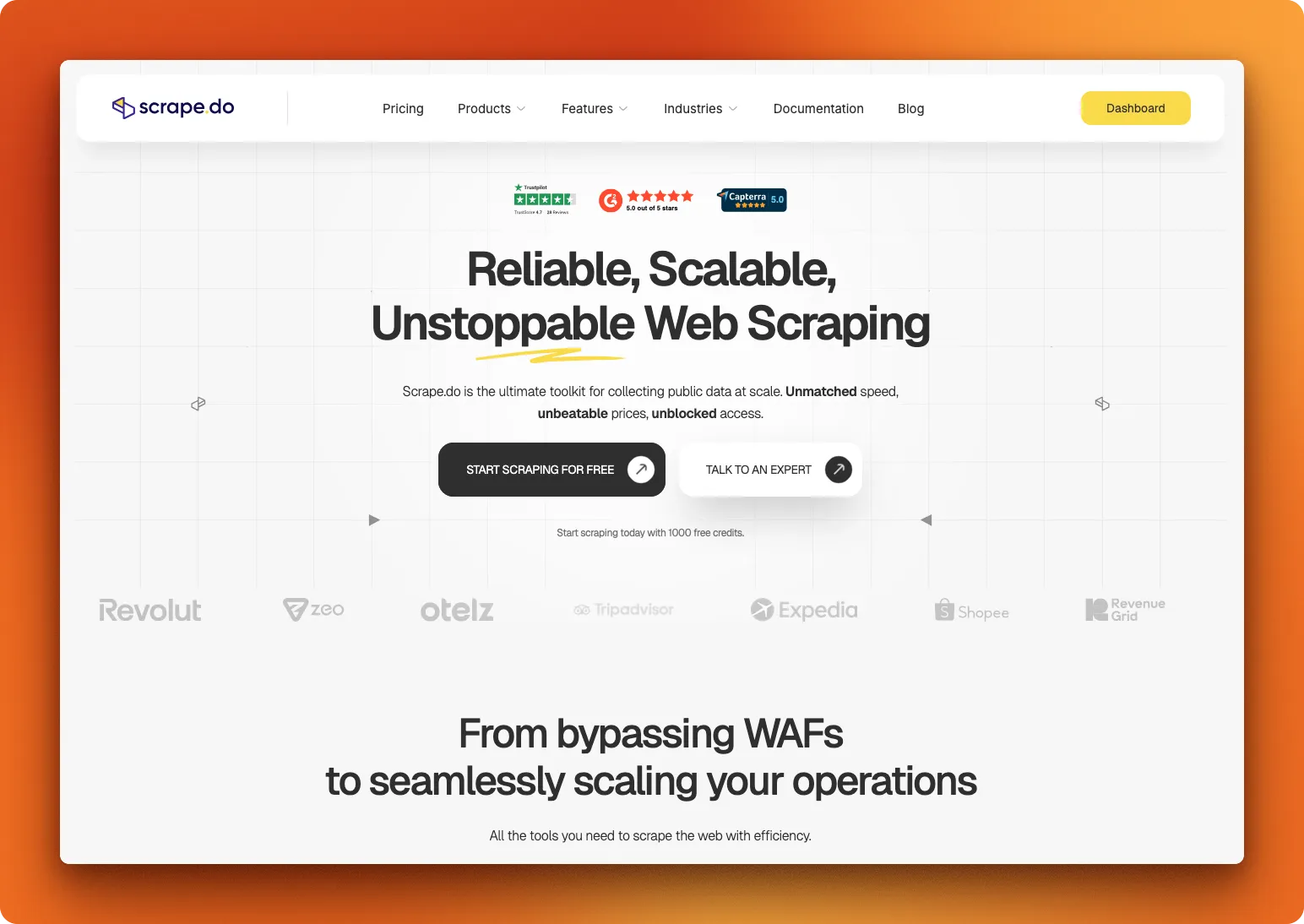
Scrape.do rotates through 110 million proxies (datacenter, residential, and mobile) across 150+ countries. You send a URL, it handles distributed proxies and header management for reliable access.
The API supports JavaScript rendering, geo-targeting, and browser controls like blocking resources or waiting for elements. You only pay for successful responses. Timeouts and blocks don't count against your credits. Check our Firecrawl vs Scrape.do comparison for a full feature breakdown.
One quirk in the pricing: the free tier (1K credits) unlocks every feature, but the $29/mo Hobby plan strips out JS rendering and geo-targeting. You need Pro at $99/mo to get those back. Residential and mobile proxies require Business at $249/mo.
Code example
import requests
import urllib.parse

token = "YOUR_TOKEN"
target_url = urllib.parse.quote("https://example.com")

response = requests.get(
    f"http://api.scrape.do/?token={token}&url={target_url}"
)

print(response.text)
What users say
TrustPilot shows 4.7/5 from 57 reviews, with 93% five-star ratings. The recurring theme is support speed. Multiple reviewers mention getting responses within minutes and staff who help optimize scraping setups. The main complaint: confusion around subscription cancellation and how it handles remaining credits.
Pros
- Pay only for successful requests
- 110M proxies across three pool types (datacenter, residential, mobile)
- Free tier lets you test all features before committing
- Support responds fast
Cons
- No Python SDK
- Hobby plan ($29/mo) removes features available in the free tier
- Need Pro ($99/mo) for JS rendering, Business ($249/mo) for residential proxies
Pricing: Free (1K credits, all features), Hobby $29/mo (250K credits, no JS), Pro $99/mo (1.25M credits), Business $249/mo (3.5M credits), Advanced $699/mo (10M credits).
8. ZenRows
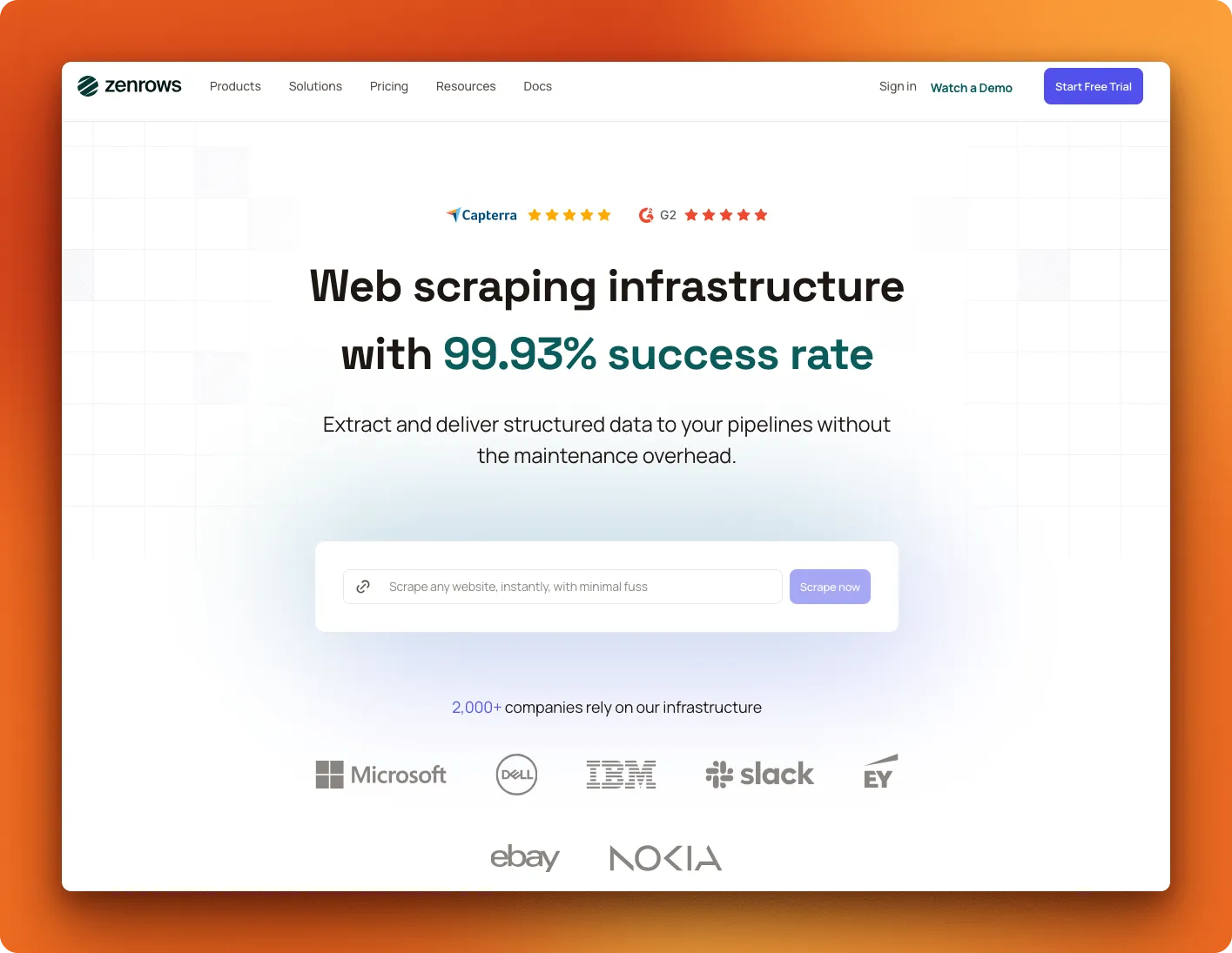
ZenRows runs a Universal Scraper API plus pre-built scrapers for Amazon, Walmart, Zillow, and Google results. If you need browser automation, their Scraping Browser runs Puppeteer or Playwright scripts on cloud infrastructure with rotating residential IPs.
The proxy pool has 55 million residential IPs. Infrastructure covers JavaScript rendering and distributed proxy management. For workflow automation, there are integrations with Zapier, Make, n8n, and direct support for Scrapy and Selenium.
ZenRows uses a shared credit balance instead of multipliers: a plan's credits stretch roughly 5x further on standard requests than on hard-protected ones. Paid plans start at $16/mo.
Code example
import requests

response = requests.get(
    "https://api.zenrows.com/v1/",
    params={
        "apikey": "YOUR_API_KEY",
        "url": "https://example.com"
    }
)

print(response.text)
What users say
Review data is thin. TrustPilot has 2 reviews totaling 3.1/5. One G2 reviewer from November 2024 wrote "Best Scraper We've Used" and mentioned quick integration.
Scrapeway runs automated benchmarks across scraping APIs. Their December 2024 data shows ZenRows at 51% success rate (industry average: 57.8%), 15.4-second response time (average: 10.5s), and $4.62 per 1,000 requests (average: $3.0). These numbers come from tests on specific target sites and may not match your results.
Pros
- Pre-built scrapers for e-commerce, real estate, and search results
- Scraping Browser for Puppeteer/Playwright automation
- Integrates with Zapier, Make, n8n
- 55M residential IPs
Cons
- Almost no user reviews to reference
- Below-average success rate and speed in independent benchmarks
- Shared credit balance is opaque: the same plan yields wildly different volumes depending on how protected the target is
- Higher effective cost per request on hard-protected sites than most competitors
Pricing: Free (5K credits/mo), $16/mo (45K credits), $57/mo (250K credits), Growth $165/mo (1.2M credits), $456/mo (5M credits). Credits are drawn from a single balance and go further on standard requests than on hard-protected ones.
Feature comparison at a glance
The detailed reviews above cover each tool's nuances. Here's how the eight stack up side by side on the features that usually decide the choice.
| API | LLM-ready output | Structured / AI extraction | Official SDK | AI-agent & no-code integrations | Proxy network |
|---|---|---|---|---|---|
| Firecrawl | Markdown + JSON | Yes (Agent + schema) | Yes (Python, Node) | MCP, LangChain, LlamaIndex, n8n, Zapier | Managed (auto) |
| BrightData | HTML / JSON | Yes (120+ pre-built scrapers) | Yes | — | 150M+ residential |
| ScrapingDog | HTML / JSON | Yes (Google, Amazon, LinkedIn) | No (raw requests) | — | Rotating pool |
| ScrapingBee | HTML | Screenshots, JS rendering | Yes (Python) | n8n, Zapier, Lovable | Datacenter + premium |
| Oxylabs | HTML / JSON | Yes (OxyCopilot) | No (raw requests) | LangChain, n8n, Make | 195 countries |
| ScraperAPI | HTML (raw) | No | No (raw requests) | — | 40M IPs |
| Scrape.do | HTML (raw) | No | No (raw requests) | — | 110M proxies |
| ZenRows | HTML / JSON | Yes (Amazon, Walmart, Zillow) | No (raw requests) | Zapier, Make, n8n | 55M residential |
Firecrawl, the web scraping API built for AI, is the only one that returns LLM-ready markdown by default. The rest hand back HTML (or JSON on their pre-built endpoints), which means an extra parsing step before the data is usable in an AI pipeline.
Which web scraping API should you use in 2026
The right scraping API depends on what you're building and your budget. Here's a quick decision framework:
For AI and LLM workflows - Firecrawl is the web scraping API purpose-built for this and, in our testing, the best for AI workflows. It returns LLM-ready markdown that uses 67% fewer tokens than raw HTML, integrates natively with LangChain, LlamaIndex, and AI coding agents via MCP. The Agent endpoint can research the web autonomously from a single prompt, and the new /interact endpoint lets you scrape a page and immediately take actions in it — clicking buttons, filling forms, and extracting dynamic content using natural language or code. With plans starting at $19/month billed monthly, or $16/month billed annually, and a free tier (1,000 credits per month) included, it's also one of the most affordable options for AI-native web data pipelines.
Try Firecrawl's playground for free to see its potential on your own use cases.
For enterprise scale with maximum reliability - Bright Data is where large teams land when success rate is non-negotiable and budget isn't a constraint. The 150M+ IP network and pre-built scrapers for 120+ platforms are hard to match.
For platform-specific scraping (Amazon, Google, LinkedIn) - ScrapingDog and Oxylabs both offer dedicated endpoints that return structured JSON directly, skipping the HTML parsing step entirely.
For browser automation on a budget - ZenRows runs Puppeteer and Playwright on cloud infrastructure at a lower entry price than BrightData's Scraping Browser, though independent benchmarks show below-average success rates.
For simple HTML scraping on a tight budget - Scrape.do at $29/mo (or ScraperAPI at $49/mo) gets you proxy rotation and JavaScript rendering without the complexity of larger platforms.
Best free tier for testing - ZenRows now leads with 5,000 credits a month at no cost, and Firecrawl's free tier (1,000 credits) unlocks the full endpoint set including Search and Agent, so you can trial AI workflows before paying. Firecrawl also offers a keyless option, so you can test search, scrape, and interact with no account or API key at all. ScraperAPI's free access is now a 7-day trial (5K credits), and ScrapingDog's free tier is 200 credits.
Best developer experience - Firecrawl and ScrapingBee are the two with clean official SDKs and readable docs. If you want to start scraping in five lines of Python, begin with one of these.
Where to be cautious
No tool on this list is perfect, and a few watch-outs are worth flagging honestly:
- ZenRows is the one to approach carefully. Independent Scrapeway benchmarks put it below the industry average on both success rate (51% vs 57.8%) and speed, and it has almost no public user reviews to corroborate its claims. Pricing was also restructured recently, so double-check current plans against your actual usage before committing.
- Credit multipliers add up on most tools here. JavaScript rendering (typically 5x) and premium proxies (10-25x) quietly multiply your bill on ScrapingDog, ScrapingBee, ScraperAPI, and Scrape.do. ZenRows is the exception: it now uses a single shared credit balance instead of multipliers, but that just shifts the surprise, since the same plan yields very different volumes on standard vs. hard-protected targets. Read the pricing model before you commit, not after your first invoice.
- Feature-gated free tiers. Scrape.do's free tier unlocks every feature, but its $29/mo Hobby plan strips out JS rendering and geo-targeting, so the cheapest paid plan can do less than the free one. Check what each tier actually includes.
- "No SDK" means more glue code. ScrapingDog, ScraperAPI, Scrape.do, Oxylabs, and ZenRows all rely on raw HTTP requests. That's workable, but budget for the extra boilerplate if your team expects a maintained SDK.
One thing to watch across all tools in 2026: output format matters as much as success rate. Many APIs return raw HTML that still requires parsing. If your pipeline feeds into an LLM or structured database, factor in the post-processing work-or choose a tool that handles it for you.
Grab a free tier and test it on your actual targets before committing. Most failures come from choosing based on feature lists rather than real-world performance on your specific sites.
Start small, measure success rates on your targets, then scale.
Frequently Asked Questions
What's the difference between a web scraping API and building your own scraper?
Web scraping APIs handle proxy rotation, JavaScript rendering, and infrastructure management automatically. Building your own means maintaining all of that yourself, which requires constant upkeep as sites change. APIs charge per successful request but save significant development time.
Why do web scraping APIs charge different amounts for different websites?
Sites like Amazon, Google, and LinkedIn require premium proxies, more retry attempts, and more complex request handling. APIs pass those costs through credit multipliers. Basic websites cost 1 credit per request, while complex sites can cost 5x-25x more.
Can I use free tiers for production projects?
Free tiers work for testing and small-scale projects (usually 1,000-2,000 requests per month). For production, you'll hit rate limits quickly and need paid plans. Free tiers also typically lack premium features like residential proxies, priority support, and higher concurrency limits.
Do I need technical skills to use these APIs?
Most APIs require basic programming knowledge (Python, Node.js, or PHP). However, Firecrawl works with no-code tools like n8n, Lovable, and Zapier, making it accessible whether you're a developer or building entirely no-code. It also has native LangChain and LlamaIndex integrations for AI workflows. Oxylabs offers OxyCopilot for generating code from plain English.
How do I choose between residential and datacenter proxies?
Datacenter proxies are faster and cheaper but easier for sites to detect. Residential proxies use real ISP-assigned IPs, making them harder to flag but 10x-25x more expensive. Use datacenter for most sites, residential for targets with strict access controls. Firecrawl handles proxy selection automatically.
Does output format matter, or is raw HTML fine?
It depends on your pipeline. If you're parsing data yourself, raw HTML works with a library like BeautifulSoup or Cheerio. But if you're feeding content into an LLM, vector database, or AI agent, clean output (markdown or structured JSON) matters a lot. Raw HTML adds noise and inflates token counts. Firecrawl returns LLM-ready markdown by default, which uses roughly 67% fewer tokens than equivalent HTML.
What's the best approach for scraping sites that use JavaScript rendering?
Modern single-page apps build their content in the browser, so a plain HTTP request returns an empty shell. You have three options: run a headless browser yourself with Playwright or Puppeteer, turn on JavaScript rendering in a scraping API (which usually costs a credit multiplier of around 5x), or use an AI-native endpoint that renders and returns clean output. Firecrawl renders JavaScript by default and returns LLM-ready markdown, so you skip both the browser setup and the parsing step. When the data only appears after an action like a click or form submit, use Firecrawl's /interact endpoint to render, interact, and extract in one flow.